
- Published on
How to SAFELY Vibe Code in YOLO mode and NOT nuke your machine
- Authors

- Name
- Dan Mindru
- https://x.com/d4m1n
In this quick tutorial, I will show you how to run an AI agent in Claude Code, OpenAI Codex CLI or even Google Gemini CLI without worrying about nuking your entire system.
YOLO mode makes AI agents faster and allows them to run longer, with the risk of running unreviewed, destructive, malicious, or unintended commands. So how can we get the benefits of this without the downsides?
The true AI agent unlock
We've all been there.
You set off the AI agent to work on something, and then you return to it 10 minutes later to see it was stuck at: ls ./src
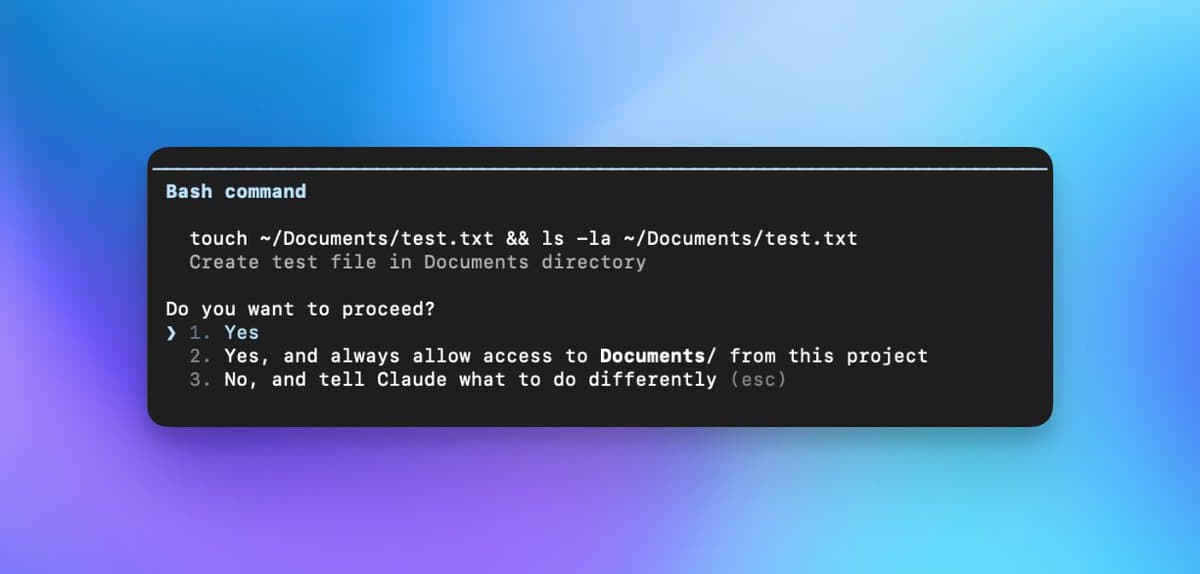
Or you set it off to do a bunch of work just to be hit with approval after approval, stopping you from working in parallel. Or stopping subagents from doing the same.
The true unlock is to let the agent run whatever it wants to run. With the advent of the Ralph Wiggum Loop, that became a pre-requisite to have the AI "code while we sleep".
But if you are even 5% technical, you know this is a terrible idea. But why shouldn't we nerds also benefit from this huge unlock?!
How to run AI agents with full permissions safely with Docker Sandboxes
Since we first got AI that could run shell commands and scripts, everybody panicked about the security implications. For good reasons, too. Even if big LLM worked to mitigated this, the fact is an agent can still run a malicious script that leaks your keys, private data or deletes files on your root machine.
Not anymore.
Docker recently introduced a new feature called sandboxes that makes running AI agents via CLIs incredibly easy and low friction. You don't even need to deal with containers or config, it's literally a 1-liner.
Here's how to run the various AI agent CLIs safely in yolo / skip permissions mode / auto-approve mode:
Claude Code
docker sandbox run claude .
Codex CLI
docker sandbox run codex .
Gemini CLI
docker sandbox run gemini .
After you run this, log in with your Anthropic/OpenAI/Google Gemini account and you have a sandboxed environment that will not be able to nuke your root machine.
Why do you need to log in? Behind the scenes, Docker creates a lightweight microVM with a private Docker daemon and starts the Claude Code/Codex/Gemini agent as a container inside it. That agent needs valid API credentials to communicate with the LLM's servers, which is why you must log into the sandbox too.
And that's it! Now you can let the agent rip while you sleep at night.
Obviously, you need to have Docker installed on your system beforehand, you can get it from here. No account needed.
How to run a Ralph Loop safely with Docker Sandboxes
I have a hunch that this feature got a lot more attention with the advent of the Ralph Loop workflow. If you haven't been following, the idea with this is to throw a huge list of tasks at the AI agent and then send the same prompt over and over again until AI codes up all tasks.
This means that an AI agent loop could run for hours or days.
I have let it code for over 37 hours on my personal website: 39k LoC, 2.6k unit tests, 871 e2e tests, 249 tasks deployed to mindrudan.com.
As you might have guessed, I managed to get to this by running it in a Docker Sandbox. I seriously would not have the balls to let an AI agent code over night with full permissions.
So here's how you could set up a basic Ralph Loop that contains the agent in a sandbox:
#!/bin/bash

MAX_ITERATIONS=${1:-20} # Runs for 20 iterations by default.
PROMPT_CONTENT="Build a profitable SaaS. Make no mistakes."

for i in $(seq 1 $MAX_ITERATIONS); do
  docker sandbox run claude . -- -p "$PROMPT_CONTENT"
done
And you're good to go!
How to inspect the sandbox and debug
One last thing. You might be wondering... if this is not a container, how can I see what's going on in there? How can I debug/install things.
I'm happy to let you know that all of that is still possible.
You first need to run:
docker sandbox list
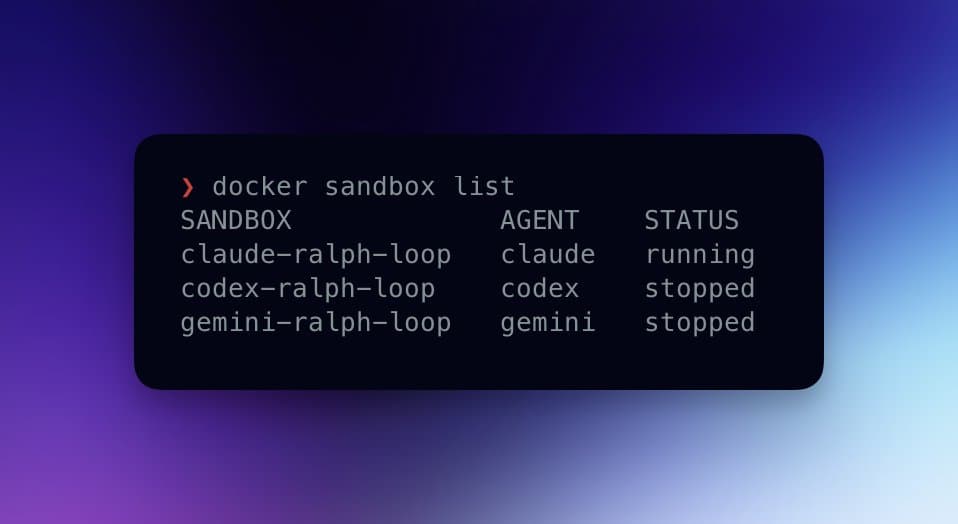
And then you can run bash into any of the sandboxes like so:
docker sandbox exec -it claude-ralph-loop bash
And you have full control over the sandbox, just like a regular container.
Thanks for reading, I hope you build something awesome!